
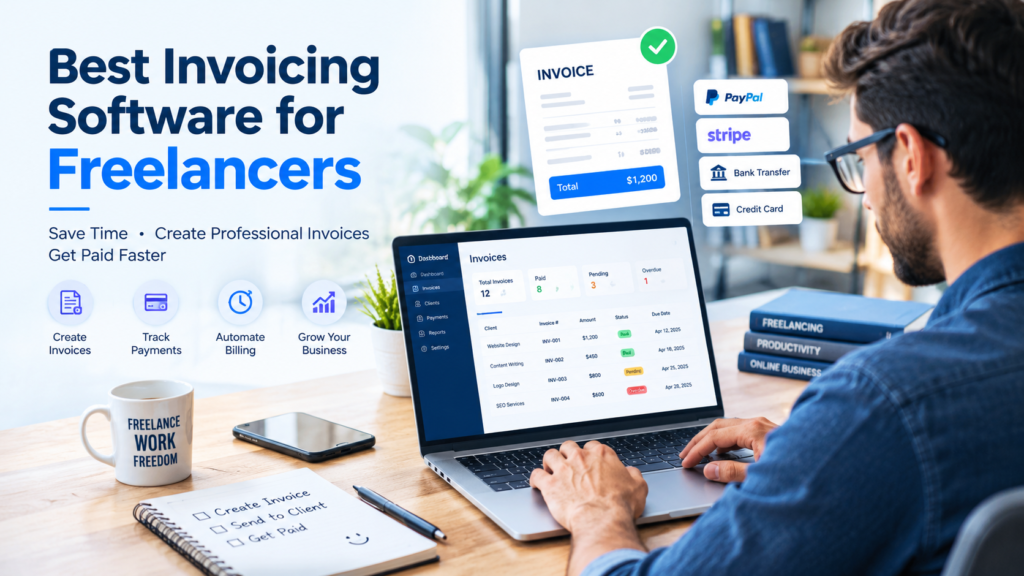

Best Invoicing Software for Freelancers
For example, if you’ve ever chased a client for a late payment, cobbled together an invoice in Word, or lost track of who actually paid you last month, you already know why invoicing matters. Finding the best invoicing software for freelancers can help simplify billing, organize client payments, and reduce the time you spend on administrative tasks. Manual billing eats time you could spend on client work, and it makes mistakes wrong totals, missed due dates, forgotten follow-ups much more likely.
In addition, that’s where the best invoicing software for freelancers comes in. As a result, the right tool turns a messy, manual process into something that takes minutes: professional templates, automatic reminders, online payment links, and a clear record of who owes you what.
However, in this guide, we’ll walk through seven invoicing tools worth considering in 2026 — FreshBooks, Wave, Zoho Invoice, Bonsai, Invoice Ninja, QuickBooks Online, and HoneyBook. In addition, you’ll learn what each one does well, where it falls short, roughly what it costs, and who it’s actually built for, so you can pick the option that fits your workflow and budget rather than just the most-hyped name on the list.
As a result, software pricing changes often, so we’ve noted current figures where we could verify them. Therefore, double-check the provider’s official website before you commit.
What Is the Best Invoicing Software for Freelancers?
Therefore, invoicing software is a digital tool that helps freelancers and businesses create, send, and manage invoices. In other words, it brings core billing tasks into one place.
Instead, you can use invoicing software to organize billing information in one place rather than preparing invoices manually in Microsoft Word or Excel.
For example, depending on the tool, you may be able to:
- Create professional invoices.
- Add your business information and logo.
- Track payments and unpaid invoices.
- Send invoices directly to clients.
- Set recurring invoices.
- Accept online payments.
- Manage expenses.
- Generate financial reports.
Similarly, for freelancers who manage multiple clients, invoicing software can reduce repetitive work and make payment tracking much easier.
Why Freelancers Need the Best Invoicing Software
In addition, freelancers and solo business owners often wear every hat, including the work itself, sales, customer service, and bookkeeping. However, invoicing software can remove a lot of the administrative friction around getting paid.
Professional invoices. For example, a clean, branded invoice with your logo and consistent formatting looks more credible than a plain email or a hand-typed document, especially to new clients.
Time savings. In addition, templates, saved client details, and reusable line items mean you’re not rebuilding the same invoice from zero every time.
Payment tracking. As a result, a dashboard view of paid, unpaid, and overdue invoices is far easier to manage than a personal spreadsheet., especially once you have more than a handful of clients.
Reduced billing errors. Moreover, automatic calculations for taxes, discounts, and totals cut down on the math mistakes that come from manual entry.
Recurring invoices. For example, if you bill the same client every month or on a retainer, recurring invoice features can generate and send bills automatically on schedule.
Better organization. As a result, client records, invoice history, and payment status live in one place instead of scattered across email threads and folders.
In practice, none of this guarantees faster payments or more income — how quickly you get paid still depends on your clients and your own follow-up. Instead, good invoicing software makes the process less time-consuming and less error-prone.
Best Invoicing Software for Freelancers: 7 Tools to Consider
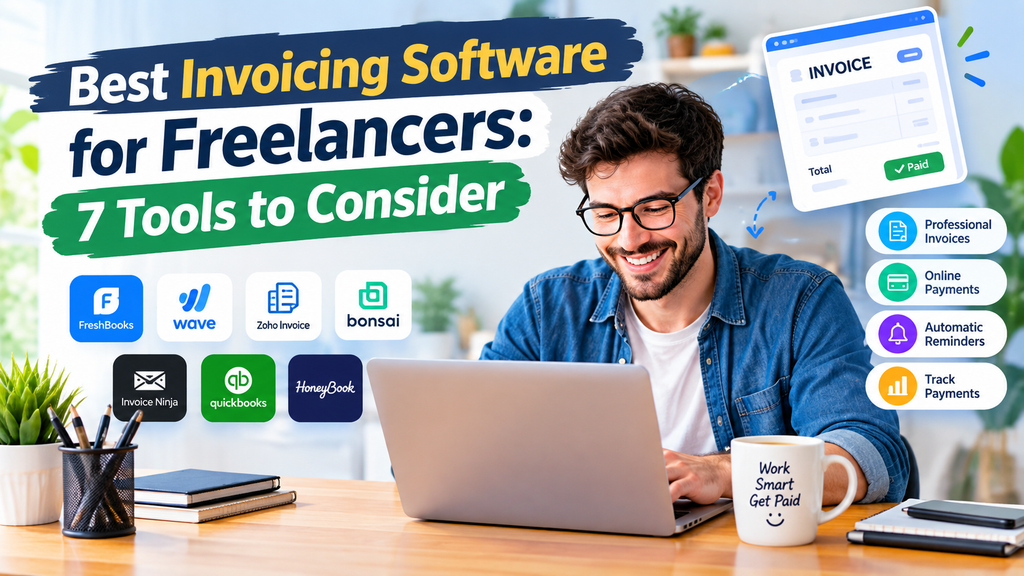
More importantly, the following tools are popular options worth considering. However, their plans, prices, and features may change, so check the official website before choosing a subscription.
1. FreshBooks: Invoicing Software for Freelancers
At the same time, FreshBooks is an accounting and invoicing platform designed for small businesses and self-employed professionals. In addition, it brings invoicing and accounting features together.
In particular, FreshBooks combines invoicing with other business management features, making it useful for freelancers who want more than a basic invoice generator. As a result, it can support more than basic billing tasks.
Key Features
- Professional invoice creation.
- Expense tracking.
- Time tracking.
- Client management.
- Online payment options.
- Financial reporting.
Pros
- Combines invoicing and accounting features.
- Useful for service-based freelancers.
- Offers tools for tracking time and expenses.
Cons
- Some features may require a paid plan.
- The available features depend on the subscription.
Best For
For example, freelancers who want invoicing and broader business accounting features in one platform can consider FreshBooks.
Official Website: https://www.freshbooks.com/
2. Wave: Invoicing Software for Freelancers
As a result, Wave is a financial management platform that has been popular among freelancers and small business owners looking for accessible invoicing tools. In addition, it provides tools for organizing basic financial tasks.
In particular, it offers invoicing and other financial features. However, availability and pricing can depend on your location.
Key Features
- Invoice creation.
- Customer information management.
- Payment tracking.
- Financial management tools.
- Online payment options where supported.
Pros
- Suitable for freelancers starting a small business.
- Offers invoicing-focused features.
- Can be useful for organizing basic billing tasks.
Cons
- Payment and other features may vary by country.
- Some services may require additional fees.
Best For
Overall, Wave can suit freelancers who want to explore an accessible invoicing and financial management solution.
Official Website: https://www.waveapps.com/
3. Zoho Invoice: Invoicing Software for Freelancers
Next, Zoho Invoice is an invoicing-focused tool from Zoho. In addition, it is designed to help businesses create invoices, track payments, and manage billing activities.
Finally, freelancers who mainly need invoicing rather than a full accounting platform can explore this option. For this reason, it may be useful when dedicated billing tools are the priority.
Key Features
- Custom invoice templates.
- Recurring invoices.
- Expense tracking.
- Payment reminders.
- Client management.
- Multiple currency support.
Pros
- Focuses on invoicing and billing.
- Offers useful automation features.
- Suitable for freelancers with recurring clients.
Cons
- Some advanced business needs may require other Zoho products.
- Plan availability and limits can change.
Best For
Also, Zoho Invoice can suit freelancers who want a dedicated invoicing solution with useful automation features.
Official Website: https://www.zoho.com/invoice/
4. Bonsai: Freelance Invoicing and Client Management
Besides, Bonsai is a business management platform designed for freelancers and independent professionals. Moreover, it supports several parts of the client workflow.
Because of this, unlike basic invoice generators, Bonsai aims to support more parts of the freelance workflow, including proposals, contracts, projects, and payments. For example, users can manage proposals and contracts alongside billing.
Key Features
- Invoice creation.
- Client management.
- Proposals and contracts.
- Project management.
- Time tracking.
- Payment management.
Pros
- Designed around freelance workflows.
- Useful for managing client projects.
- Combines several business tools.
Cons
- May offer more features than a freelancer needs.
- Some features require a paid subscription.
Best For
For example, Bonsai can suit freelancers who want invoicing and client management tools together.
Official Website: https://www.hellobonsai.com/
5. Invoice Ninja: Invoicing Software for Freelancers
For example, Invoice Ninja is an invoicing and payment management platform that offers tools for freelancers and small businesses. In addition, it supports several common billing tasks.
In addition, it can be useful for users who want to create invoices, manage clients, and track billing information. As a result, it can simplify routine invoice management.
Key Features
- Invoice creation.
- Client management.
- Payment tracking.
- Recurring billing.
- Expense management.
- Customizable invoices.
Pros
- Offers a range of invoicing features.
- Suitable for freelancers and small businesses.
- Supports recurring billing workflows.
Cons
- Advanced features may depend on the plan.
- New users may need time to explore the platform.
Best For
In addition, Invoice Ninja can suit freelancers who want flexible invoicing and billing features.
Official Website: https://invoiceninja.com/
6. QuickBooks Online: Invoicing and Accounting for Freelancers
However, QuickBooks Online is an accounting platform that includes invoicing and payment management features. In addition, it provides broader accounting tools.
As a result, it is often considered by freelancers who want to manage invoices alongside broader business accounting tasks. Therefore, it may be relevant when accounting needs extend beyond invoicing.
Key Features
- Invoice creation.
- Income and expense tracking.
- Financial reports.
- Payment management.
- Business accounting tools.
Pros
- Includes broader accounting features.
- Useful for freelancers with more complex finances.
- Can support business growth.
Cons
- May be more advanced than necessary for basic invoicing.
- Subscription costs and features vary by plan.
Best For
Therefore, QuickBooks Online can suit freelancers who need invoicing together with accounting and financial reporting.
Official Website: https://quickbooks.intuit.com/
7. HoneyBook: Invoicing and Client Management for Freelancers
Meanwhile, HoneyBook is a client management and business platform that includes invoicing and payment features. In addition, it supports client workflows.
Similarly, it is designed for independent professionals and service-based businesses that want to manage client interactions and business workflows. As a result, it can bring several client tasks into one system.
Key Features
- Invoicing.
- Payment collection.
- Client communication.
- Contracts.
- Project workflows.
- Business management tools.
Pros
- Combines invoicing with client workflows.
- Useful for service-based businesses.
- Can help organize client processes.
Cons
- May be more than a freelancer needs for simple invoices.
- Features depend on the plan and location.
Best For
Similarly, HoneyBook can suit freelancers who want invoicing and client management in one system.
Official Website: https://www.honeybook.com/
Invoicing Software Comparison Table
| SoftwareMain FocusBest ForFree Plan / TrialKey Invoicing Features | ||||
|---|---|---|---|---|
| FreshBooks | Invoicing + light accounting | Service freelancers wanting polish | No free plan; 30-day free trial | Time tracking to invoice, recurring billing, retainers |
| Wave | Free invoicing + bookkeeping | US/Canada freelancers on a budget | Free Starter plan (unlimited invoicing) | Unlimited invoices, basic bookkeeping, online payments |
| Zoho Invoice | Dedicated invoicing | Budget-conscious freelancers | Free plan (with usage limits) | Recurring invoices, reminders, multi-currency |
| Bonsai | All-in-one client management | Freelancers wanting proposals + invoicing | No free plan; 7-day trial (card required) | Proposal-to-invoice flow, retainers, client portal |
| Invoice Ninja | Open-source invoicing | Technical or budget-first freelancers | Free plan (5 clients) or free self-hosted | Unlimited invoicing, self-hosting, e-invoicing (paid) |
| QuickBooks Online | Full accounting + invoicing | Freelancers scaling into small business | No true free plan for most tiers; trial or discount offers | Full accounting, reporting, bank reconciliation |
| HoneyBook | Client experience platform | Service pros managing full client journey | No free plan; 7-day trial | Proposal + contract + invoice workflow, automation |
Pricing and free-plan availability change frequently. Confirm current details on each provider’s official website before deciding.
How to Choose the Best Invoicing Software for Freelancers
For this reason, not every freelancer needs the same invoicing features. Before choosing a platform, consider the following factors.
1. Pricing and Budget
First, start by checking your monthly budget.
In practice, some freelancers only need basic invoice creation, while others need payment tracking, accounting, and recurring billing. Therefore, identify your main billing needs first.
More importantly, look for a tool that provides the features you actually need without unnecessary expenses. For example, avoid paying for advanced features you will not use.
2. Ease of Use
For example, your invoicing software should be easy to understand. In addition, the main billing functions should be easy to find.
At the same time, a simple dashboard, clear invoice templates, and easy payment tracking can save you time. As a result, ease of use can matter as much as the feature list.
3. Professional Invoice Templates
Next, look for customizable templates that allow you to add:
- Business name.
- Client information.
- Invoice number.
- Service description.
- Amount due.
- Payment terms.
- Due date.
4. Payment Options
On the other hand, check whether the software supports payment methods your clients can use. For example, review the available payment methods before subscribing.
In contrast, payment availability may depend on your country, currency, and payment provider. Therefore, confirm local availability before choosing a plan.
5. Recurring Invoices
As a result, if you work with clients on monthly retainers, recurring invoices can save time. In addition, they can reduce repetitive billing work.
In particular, this feature allows you to schedule invoices instead of creating them manually every month. Consequently, it can make recurring billing more consistent.
6. Expense and Time Tracking
For example, freelancers who bill by the hour may benefit from time tracking. Similarly, expense tracking can help organize business costs.
Overall, expense tracking can help you organize business costs and prepare financial records. In addition, it can make routine record keeping easier.
7. Security and Data Management
Next, choose a provider that explains how it protects your account and financial information. For example, review the security information provided by the service.
Finally, use strong passwords and enable additional security features when available. As a result, you can add another layer of protection to your account.
Free vs. Paid Invoicing Software
Also, free invoicing tools can be a genuinely good fit for freelancers just starting out or handling a small client list. For example, options like Wave’s Starter plan or Zoho Invoice’s free tier cover basic invoicing tasks without a subscription cost. However, the trade-off is usually a cap on clients, revenue, or advanced features like automatic bank feeds and workflow automation.
Besides, paid invoicing software tends to add things free tools skip: deeper reporting, multi-user access, more automation, and often better customer support. However, whether that’s worth paying for depends on how much time those features save you and how many clients or invoices you’re managing each month.
Because of this, there’s no universally “better” choice here — it’s a genuine trade-off between cost and convenience. For this reason, it’s reasonable to start free and upgrade later if you outgrow the limits.
How to Create a Professional Invoice
For example, a professional invoice should include enough information for your client to understand what they are paying for. In addition, clear payment details can reduce confusion.
For example, here is a simple invoice structure. Next, make sure the invoice includes the core billing details.
Invoice Example
Business Name: Your Freelance Business
Invoice Number: INV-2026-001
Invoice Date: September 16, 2026
Due Date: October 1, 2026
Bill To: Client Name
| ServiceAmount | |
|---|---|
| Website Design | $500 |
| SEO Setup | $150 |
| Total | $650 |
Payment Terms: Payment due within 15 days.
Thank You: Thank you for your business!
In addition, you can create this type of invoice using invoicing software and customize it for your own services. As a result, you can keep your invoices consistent across different clients.
Common Invoicing Mistakes Freelancers Should Avoid
Sending invoices without clear payment terms. If clients don’t know when payment is due or how to pay, delays are more likely.
Forgetting to follow up on overdue invoices. Automated reminders (built into most of the tools above) help, but it’s still worth checking your dashboard regularly.
Inconsistent invoice numbering. Skipping or duplicating invoice numbers makes bookkeeping and tax time harder.
Not tracking which invoices are paid, pending, or overdue. Relying on memory or email search instead of a dashboard view increases the odds of missed payments.
Mixing personal and business finances. Using invoicing software tied to a dedicated business account, even as a sole proprietor, makes tax season considerably simpler.
Waiting too long to send the invoice. The longer you wait after finishing work, the longer it typically takes to get paid — sending invoices promptly matters as much as the software you use.
Ignoring currency or tax settings for international clients. If you bill clients in other countries, confirm your software handles multi-currency invoicing and any relevant tax requirements correctly.
Frequently Asked Questions
What is the best invoicing software for freelancers?
However, the best invoicing software depends on your needs. For example, Zoho Invoice, FreshBooks, Wave, Bonsai, Invoice Ninja, QuickBooks Online, and HoneyBook are options worth exploring.
Is the best invoicing software worth it for freelancers?
As a result, yes, invoicing software can help freelancers save time, create professional invoices, and track payments more efficiently. In addition, it can organize recurring billing tasks.
Can freelancers use free invoicing software?
Therefore, yes. Some platforms offer free plans or free invoicing features. However, check current limits, payment fees, and availability before choosing one.
What should a freelancer include on an invoice?
Meanwhile, a freelancer should include business information, client details, invoice number, invoice date, service description, amount due, payment terms, and due date. In addition, keeping these details consistent can make invoices easier to review.
Can invoicing software help freelancers get paid faster?
Similarly, invoicing software can make billing more organized and support payment reminders or online payment options. However, payment speed also depends on the client and agreed payment terms.
Should freelancers use invoicing software or Excel?
For this reason, Excel can work for simple billing needs. However, invoicing software may be more convenient when you have multiple clients, recurring invoices, or payment tracking requirements.
Final Thoughts
In addition, the right invoicing software can make freelance business management easier and more organized. As a result, choosing features that match your workflow can reduce unnecessary administrative work.
In addition, whether you need a simple invoice generator or a complete business management platform, there are several tools worth exploring. For example, FreshBooks, Wave, Zoho Invoice, Bonsai, Invoice Ninja, QuickBooks Online, and HoneyBook each offer different approaches to invoicing and financial management.
In addition, before choosing a platform, compare its features, pricing, payment options, and suitability for your location. Finally, confirm the current plan details on the provider’s website.
Start with the features you need today, and choose a tool that can support your freelance business as it grows.
Thank You for Reading
Finally, thank you for visiting Tech-Digital-Product.com. We appreciate your time and interest in this guide.
In addition, we publish helpful guides, software reviews, AI tool recommendations, and digital product insights to help you discover useful tools for your online business. Moreover, our goal is to make software information easier to understand.
In addition, if you found this article helpful, explore more software and digital product reviews on our website. Finally, you can continue exploring our other digital product guides.
Tech-Digital-Product.com — Discover Digital Tools. Build Smarter.